Solutions · For staying informed
Live news as it breaks, and the picture behind it.
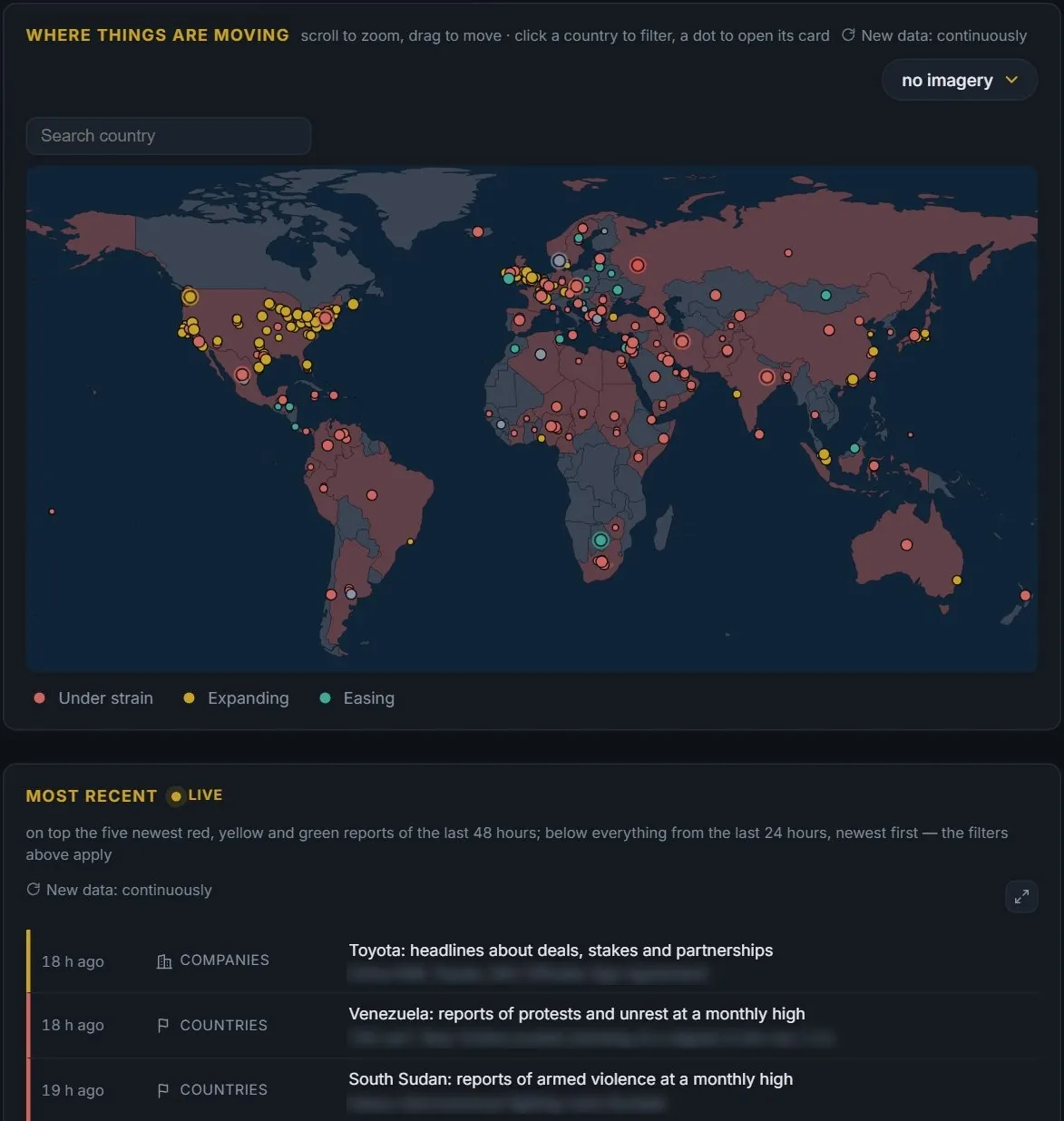
DESK Radar brings the news live: new headlines appear within minutes, without reloading, and you filter them by country, commodity or company. Beside them the Radar shows what is building up over weeks, DESK Impact shows what an event has measurably moved, and a weekly report sums up the week every Saturday.
Sounds familiar?
What gets in the way today.
The feed never ends, and most of it repeats.
One line per story, with how many sites report it, filtered to what you follow.
A headline says something happened, not what it moved.
Impact measures traffic, supply and prices against earlier years.
A busy week and you missed it.
A weekly report every Saturday, as a page and as a PDF.
There is still a question left.
Ask DESK AI — the answer opens the right page.
With DESK
What changes.

01
Watch the news come in
The live feed in DESK Radar shows new headlines within minutes, newest first, one line per story with how many sites report it. Search a commodity, a country or a company and the feed shows only that, several at once if you like.
News →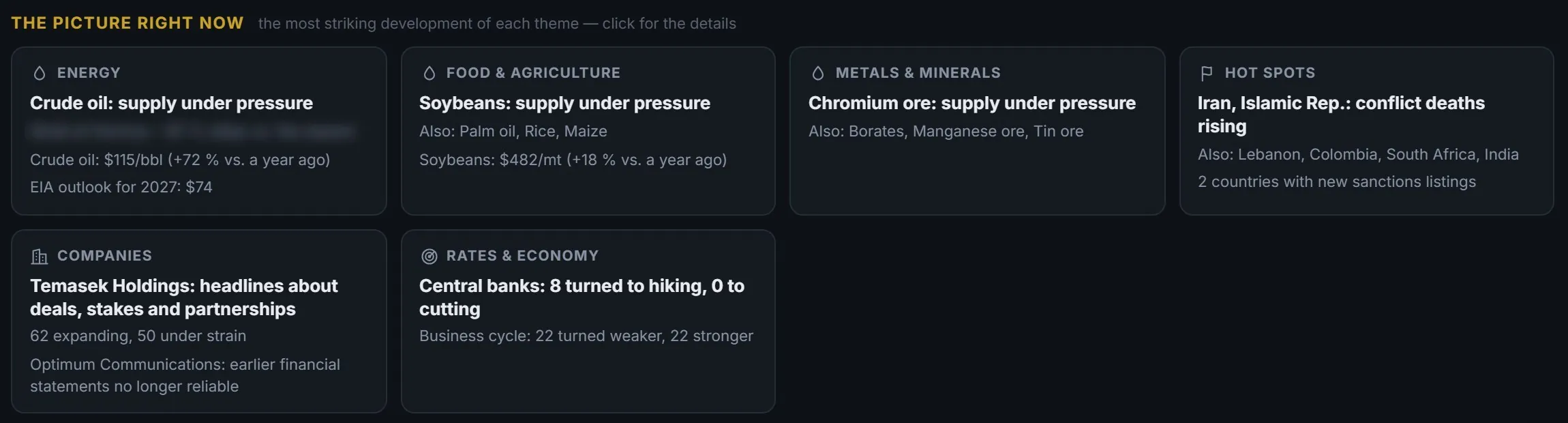
02
Scan the picture
Energy, food, metals, hot spots, companies, rates and the economy — each with the development that stands out most against its own history.
News →
03
Follow one event to its effect
Open the card of a war or a price shock and read the chain: what was blocked, what is missing, what it costs now, and who depends on it.
News →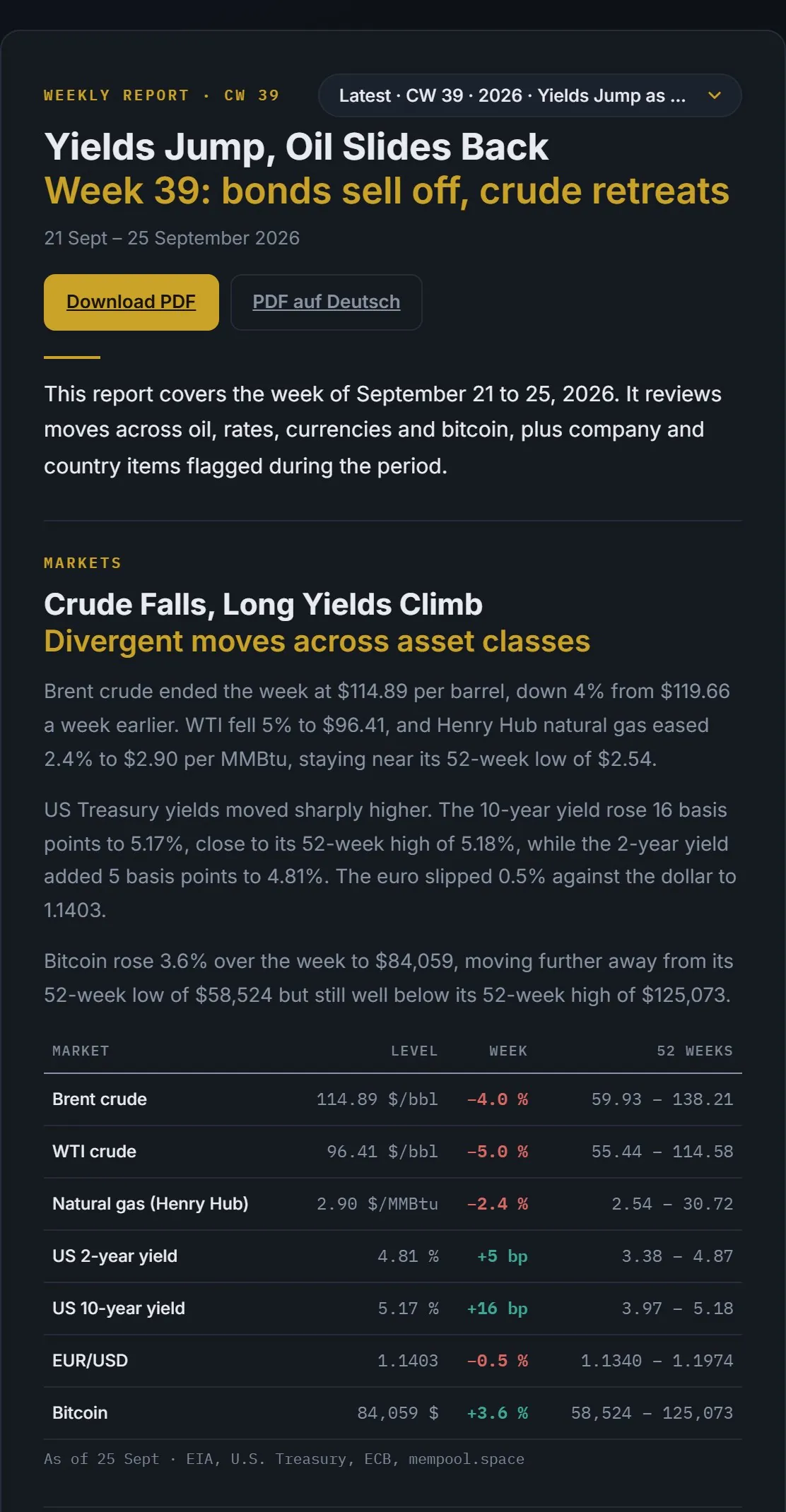
04
Read the week on Saturday
Markets, releases and the biggest developments in one report, with the figures calculated by DESK and the week ahead.
News →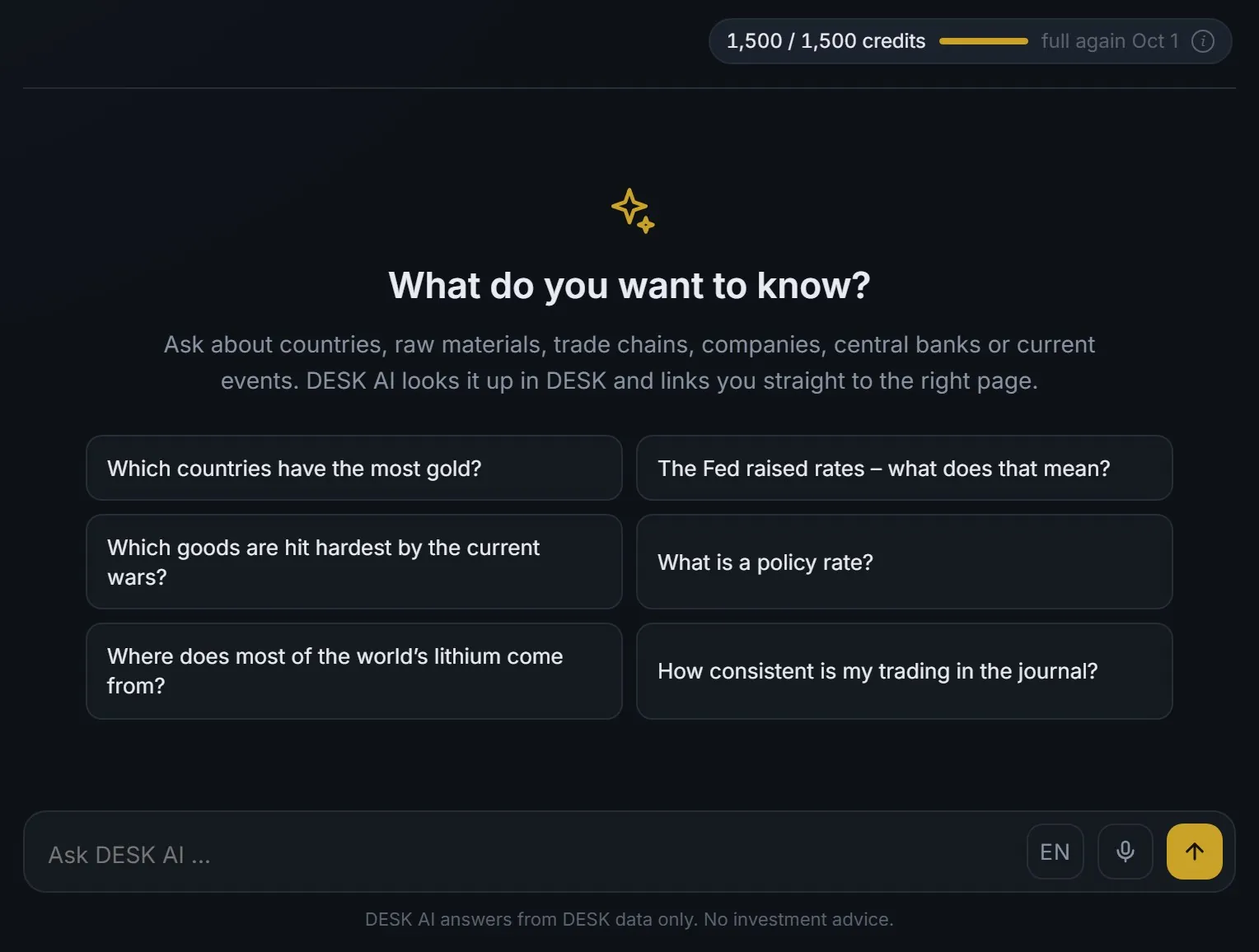
05
Ask what is left
Type the question the way you would ask a colleague. DESK AI looks it up in DESK and links you to the page that shows it.
DESK AI →A routine
How a week can look.
- Monday
Open the Radar and the calendar: what is building up, and what is due this week.
- When something breaks
See it come in on the live feed, then open its Impact card before the commentary.
- In between
Ask DESK AI instead of searching twenty tabs.
- Saturday
Read the weekly report, or download it as a PDF.
Where to start
Three steps for the first hour.
What DESK doesn’t do
DESK measures and explains what happened. It does not forecast prices, and it isn’t investment advice.
Related