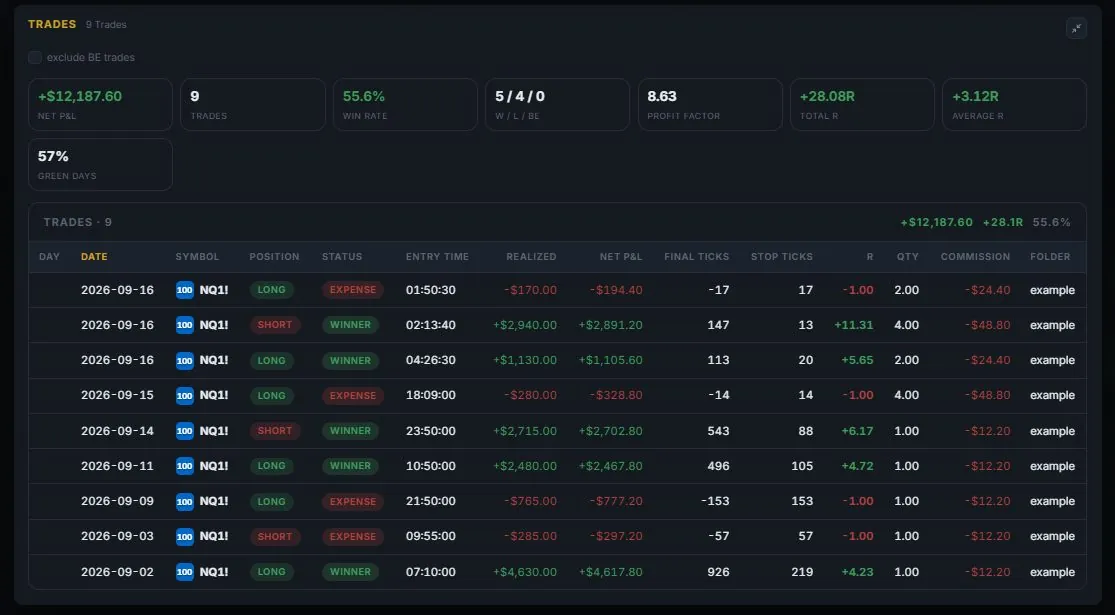
What you get
- One entry per trade: instrument, direction, setup, reason, risk, result.
- A closing line for what you would repeat — the part a review actually needs.
- A month calendar showing each day's result and the week beside it.
- Net P&L, win rate, profit factor, average R and streaks, computed from your entries.
- Backtests kept separate from live accounts.
- Your entries stay private to your account.
The reason, not only the result
An entry records why you acted, so the review has something to work with.
Calendar view
Green and red days at a glance, with the week's total next to them.
Your own statistics
Win rate, profit factor and average R come from your record, not from a demo.
Inside DESK
What it looks like.
Screens from the running app, filled with an example account. None of these trades are real.
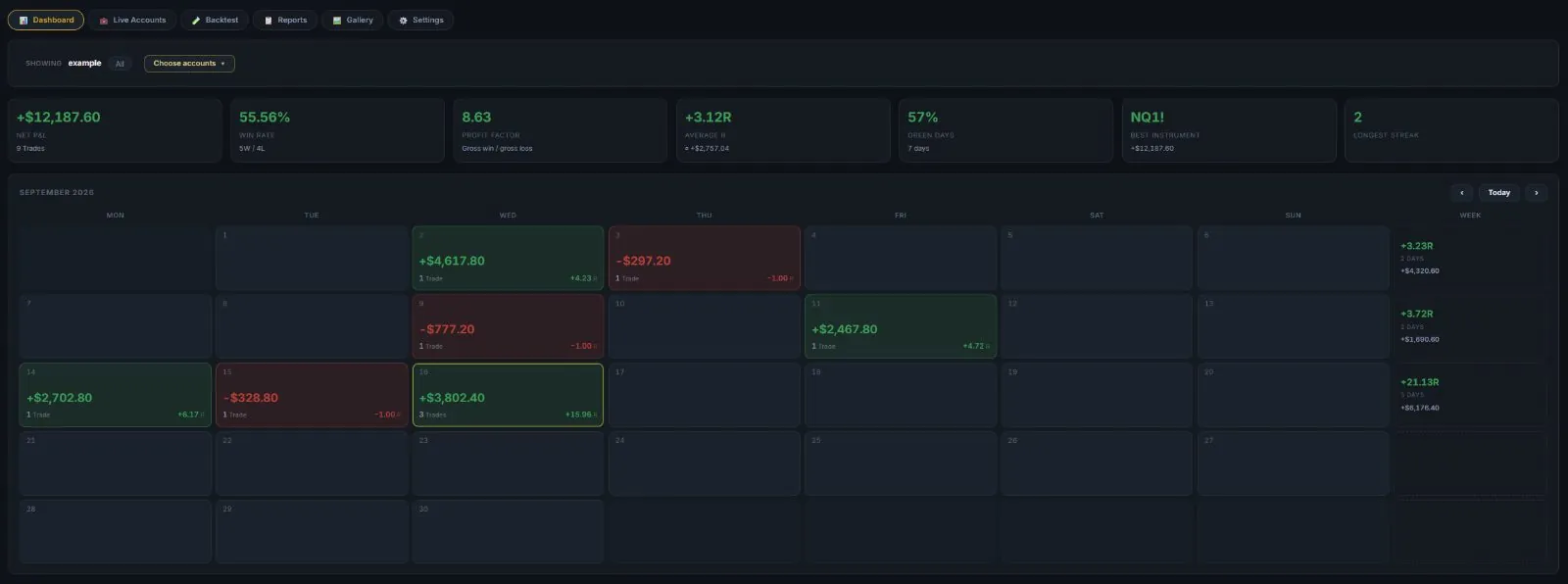
The dashboard
Seven numbers across the top and a month of green and red days below — with the week’s R and result in the last column.
- Net P&L, win rate, profit factor, average R
- Green days, best instrument, longest streak
- Choose which accounts it shows
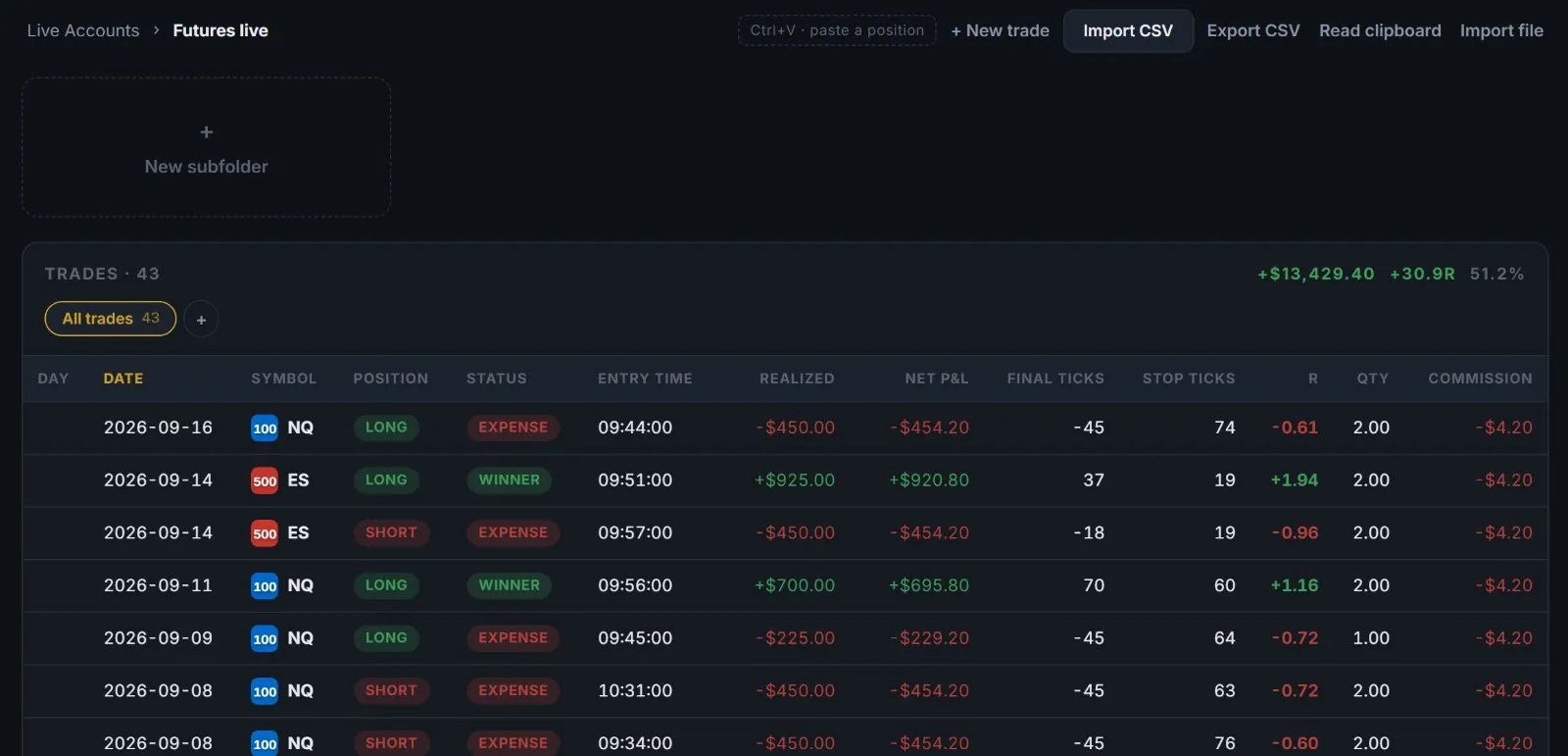
Live accounts
One folder per account, and every trade in it on one line: position, result, entry time, ticks, R and commission. Import a CSV, paste a position from your charting tool, or type it in.
- Subfolders for strategies or months
- Totals for the folder at the top
- CSV in and out
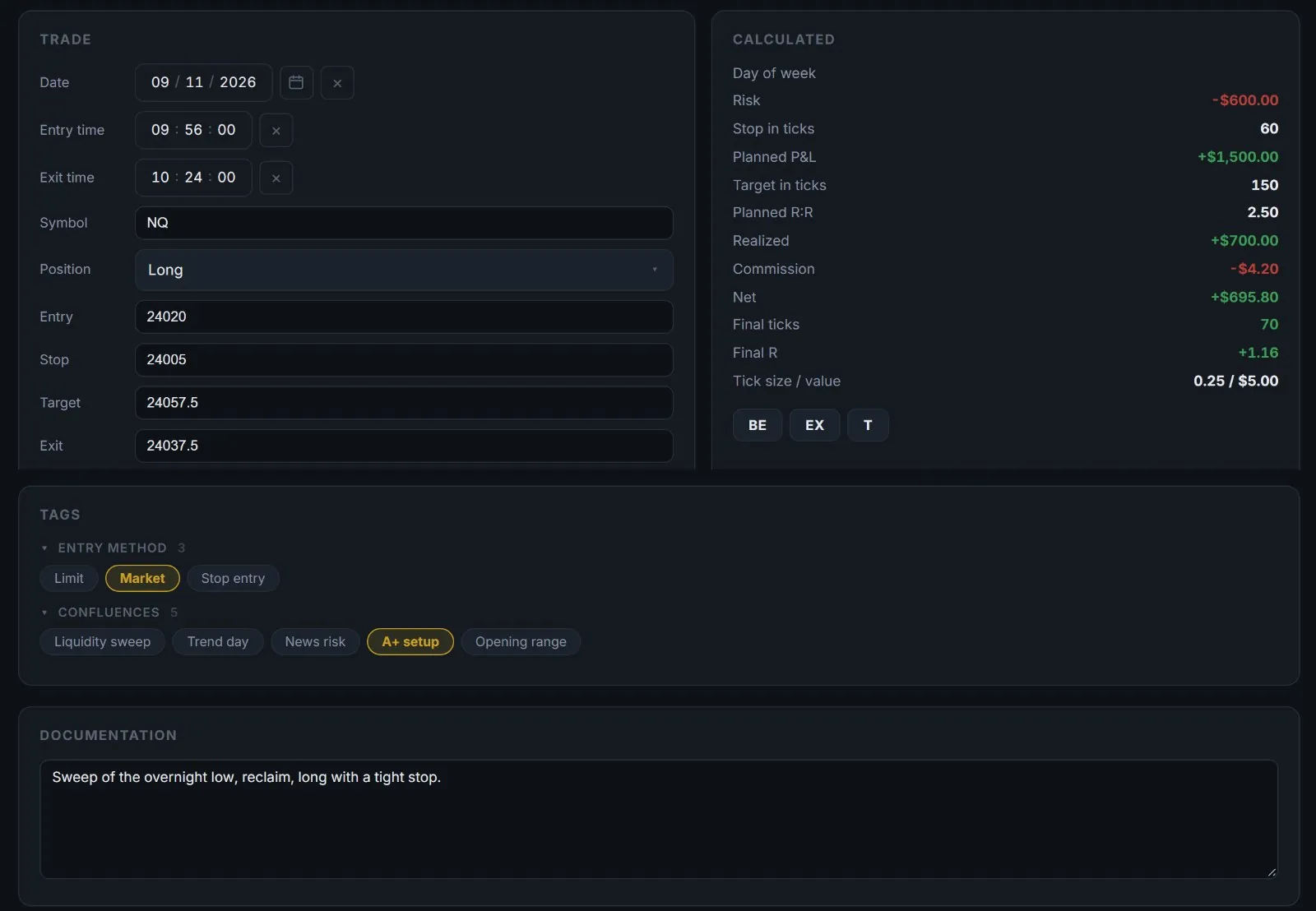
One trade, fully written down
Entry, stop, target and exit go in; risk, planned R:R, ticks and the net result come out. Tags hold your entry method and confluences, and the documentation holds the reason.
- Break-even, partial and take-profit levels
- Your own tag groups
- Screenshots and links on every trade
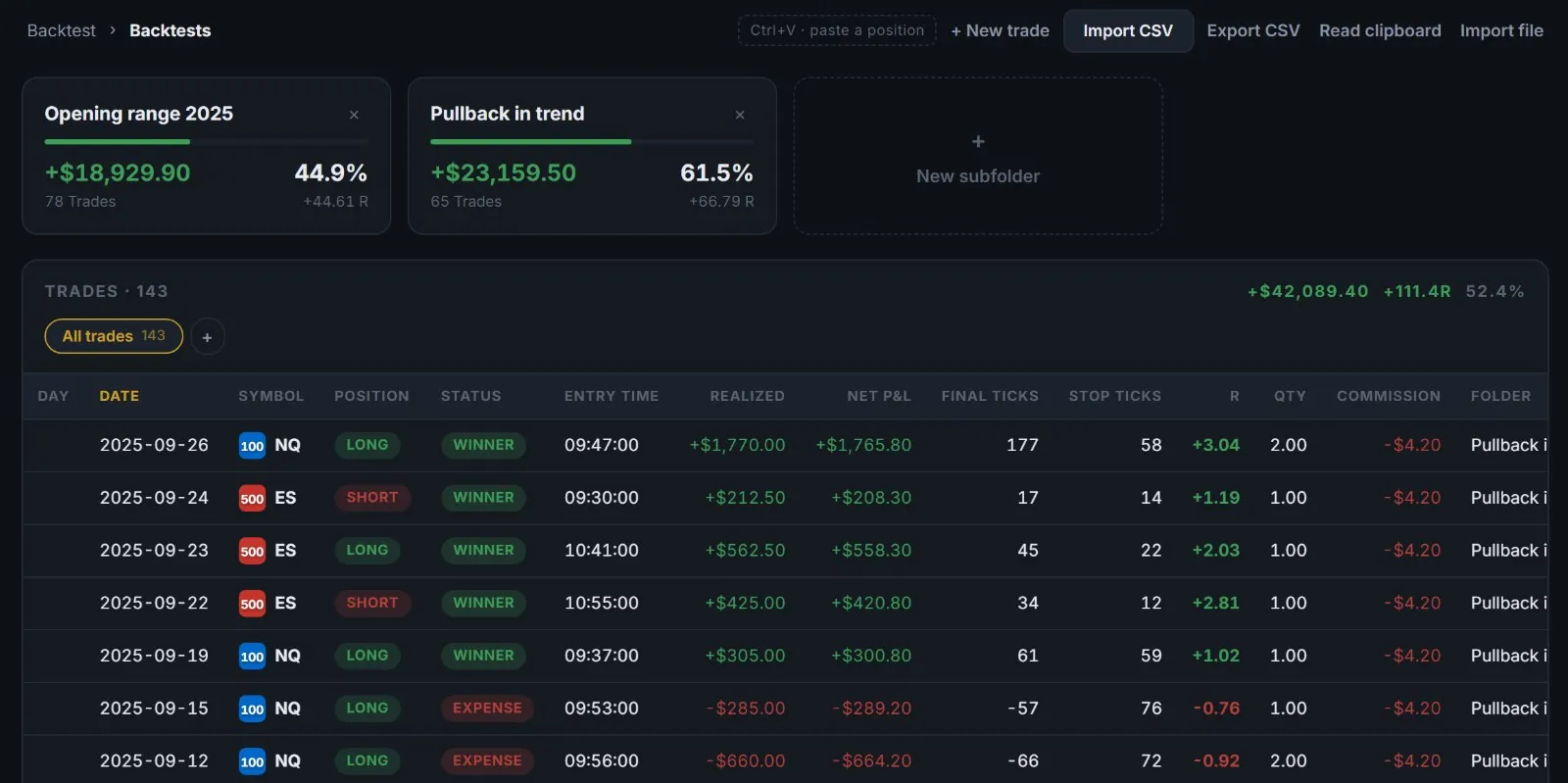
Backtests, kept apart
Backtests live in their own tab, so a test never mixes with money that was really at risk. Each test gets its folder, with its own win rate and total R.
- Nested folders, one per idea
- Same statistics as a live account
- Compare tests side by side
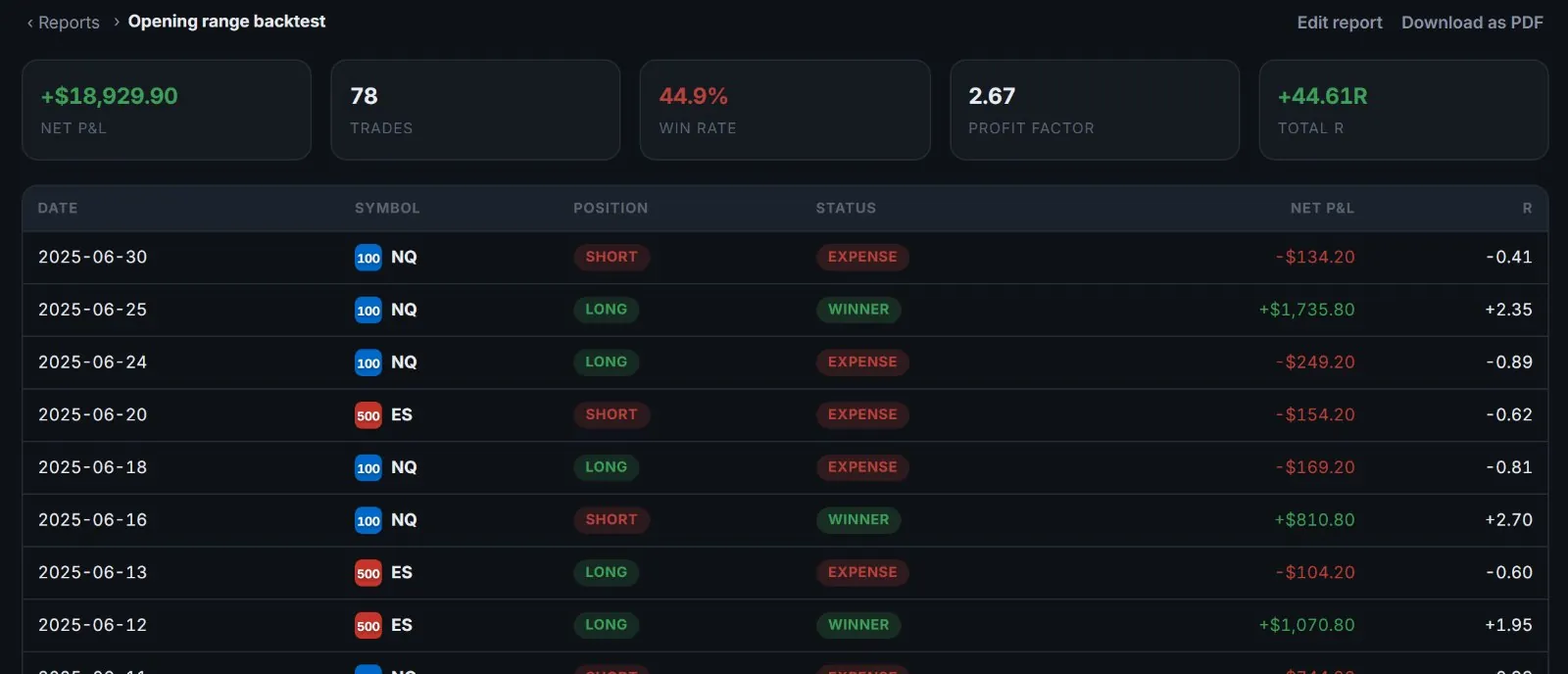
Reports
A report is a saved filter — by account, direction, method, symbol, weekday, time or tags. It keeps its numbers up to date and downloads as a PDF.
- Last N trading days or a fixed range
- Open any trade from the list
- PDF in the DESK review design
Built on
named on every panel in the appyour own entries · no data provider